 Tidyback
: Photo Cleaner for iPhone and Android
Photo cleaner: free up storage, swipe to sort
Tidyback finds similar photos, screenshots, large videos and blurry shots, then lets you decide. Nothing is deleted until you confirm, and on iPhone and Android 11 or later, deleted photos can be recovered for 30 days. No ads, no subscription.
Get it on Google PlayComing soon to the App Store.
- No ads
- No subscription
- Photos stay on your phone
- 30-day recovery on iPhone and Android 11+




What Tidyback does
Similar photos: keep the best shot
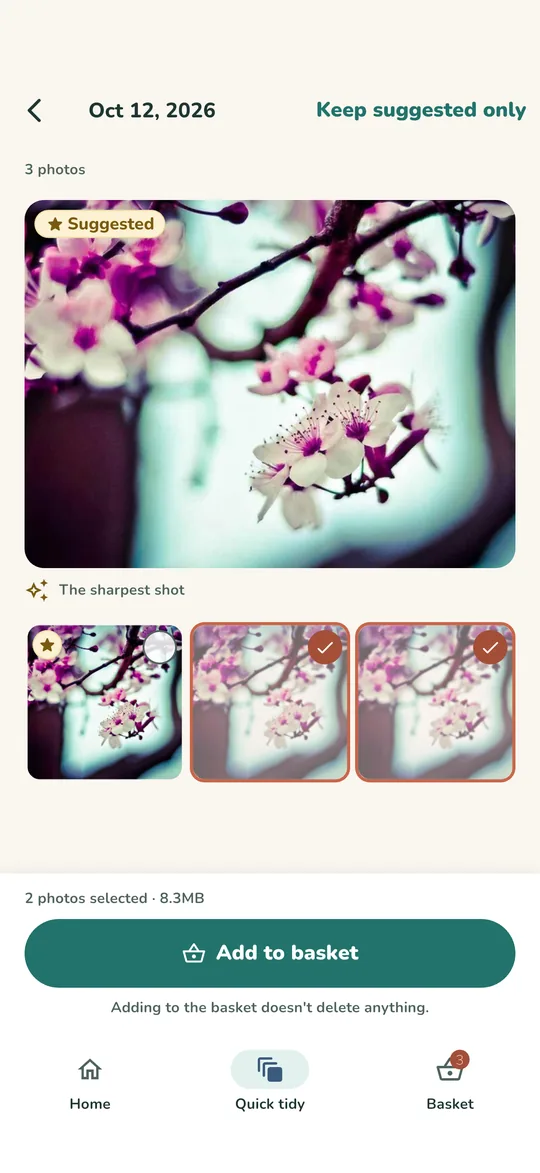
Photos are grouped only when they are clearly similar, and the sharpest one is suggested. Tap “Keep suggested only”, check the picks, then add the rest to the basket.

Screenshots, large videos and blurry photos
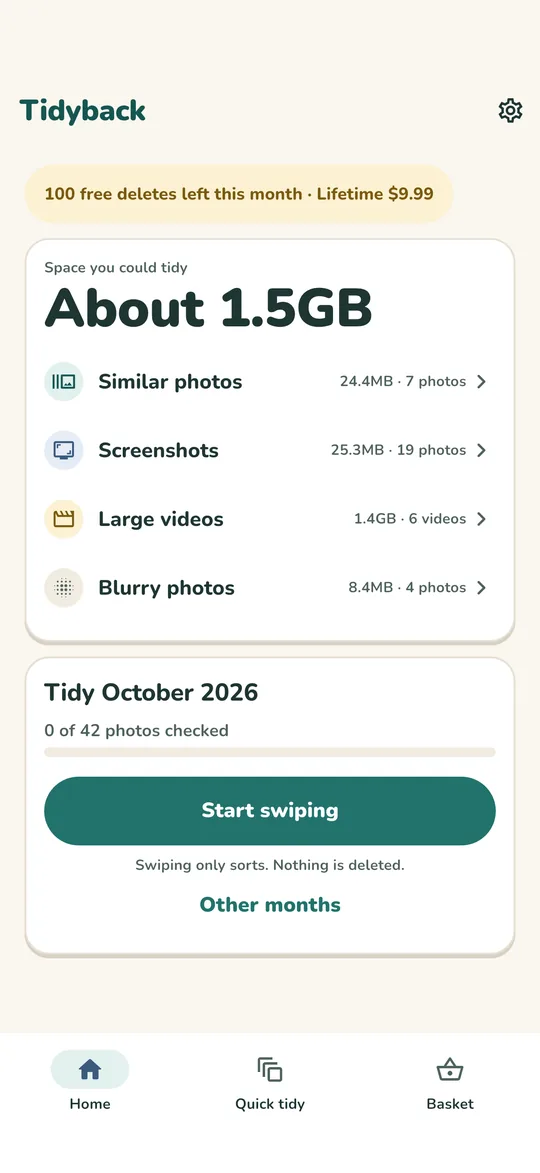
The home screen shows how much space you could tidy, split into Similar photos, Screenshots, Large videos (over 50 MB) and Blurry photos. Open a group and pick what to clear.


Swipe one month at a time
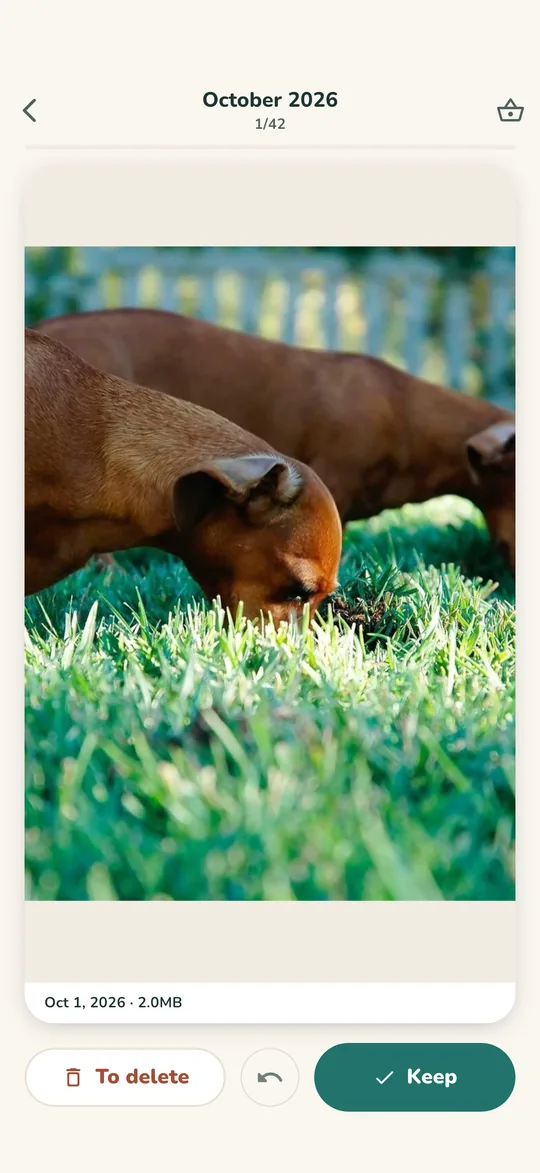
Go through a month of photos one by one: Keep or To delete. Undo anytime. Your progress is saved, so you can stop on the train and pick up later.

Nothing is deleted until you confirm
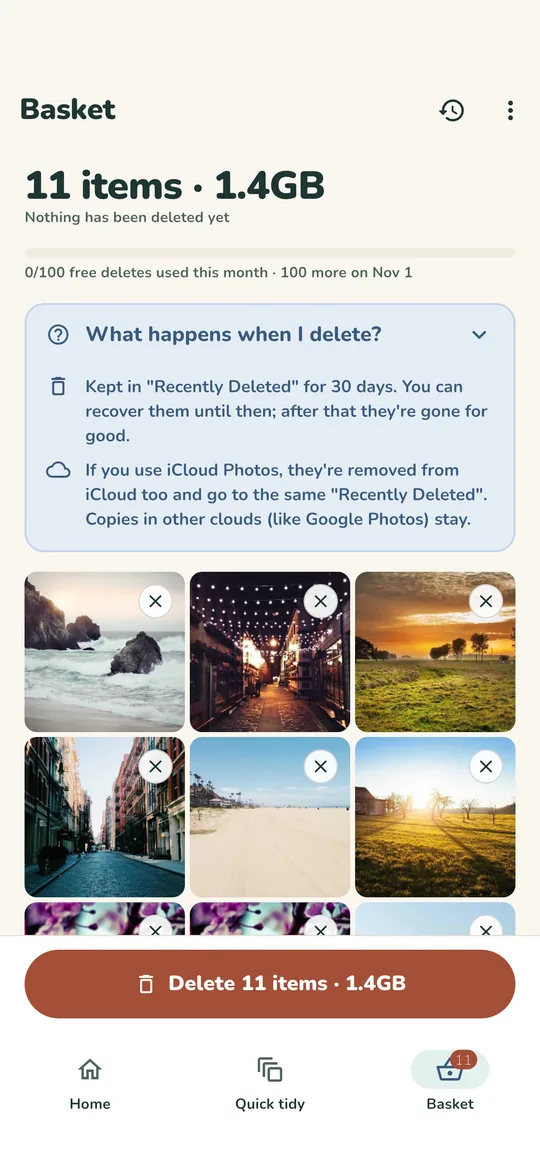
Everything you pick waits in a basket, and you can take photos out anytime. When you are ready, delete them all in one go with a single system confirmation.
Recover for 30 days
Deleted photos go to Recently Deleted on iPhone, or to the trash on Android 11 and later, for 30 days. Tidyback shows how to get them back, or how to empty it to free the space right away. Android 10 and earlier has no trash, so the app warns you first.
Your photos stay on your phone
Photos are analyzed only on your device and never uploaded. No account, no sign-up.
No ads, no subscription
Swiping, scanning and the basket are free and unlimited, and you can delete up to 100 photos a month for free. Lifetime removes the limit for $9.99, paid once: no weekly or monthly subscription, no auto-renewal.
A calmer way to clear your camera roll
you can free
one month at a time
Keep only the best
until you confirm
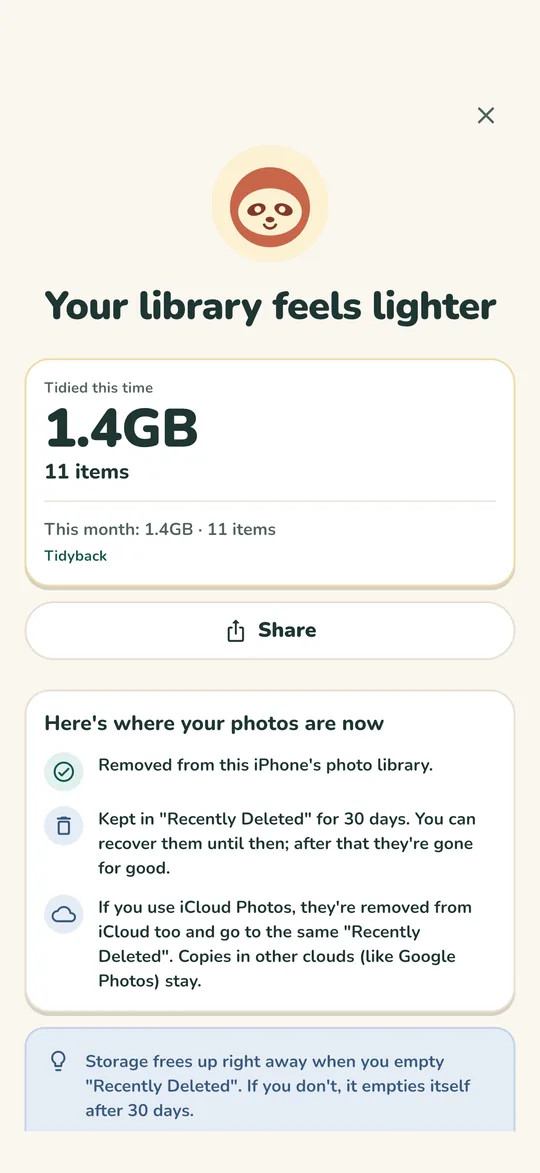
Recover for 30 days
Questions

Is Tidyback free?
Yes. Browsing, scanning, swiping and the basket are free and unlimited, with no ads. You can delete up to 100 photos each month for free. If you need more, Lifetime is a one-time purchase of $9.99 with no subscription.
Are photos deleted as soon as I swipe?
No. Swiping only sorts. The photos you pick wait in a basket, and nothing is deleted until you confirm.
Can I get deleted photos back?
Yes, for 30 days. On iPhone, open Photos, then Recently Deleted, then Recover. On Android 11 and later, open your gallery app's trash, then Restore. Android 10 and earlier has no trash, so deletion there is permanent; the app warns you first.
I deleted photos, but my free space didn't go up. Why?
Deleted photos stay in Recently Deleted (or the trash) for 30 days and still take up space there. Empty it to free the space right away, but after that they can't be recovered.
Does Tidyback upload my photos?
No. Everything happens on your phone. There is no account and no server for your photos.
More answers on the Support page. Read how we handle data in the Privacy Policy.

Make room for new photos
For iPhone and Android, in English, Japanese, Traditional Chinese and Korean. Free to start. Lifetime $9.99, paid once.
Get it on Google PlayComing soon to the App Store.